Blog ·
Let's Encrypt on Grafana
If you are anything like me and against paying for a certificate or a wildcard certificate, you will find joy in creating certificates every three months like I do (sometimes). But when I create them I nearly always forget to write down how to do it, or how to apply the certificate!
So here is the guide. 🙂
Prerequisites
- Certbot installed - there are a number of guides online
- Grafana installed and running
- Access to your Linux machine or VM
- Port 80 open on the VM
Certbot
Certbot is a handy tool that generates the CSR, key and certificate chain without you having to copy and paste anything. First run:
certbot certonly --standalone
You will then be prompted for the domain:

Enter your FQDN, for example grafana.mydomain.com.
Once that completes, go to the directory where the files were saved.
Copying over the certificate files
You’ll want two terminal windows open side by side, as we need to copy some data
across. In one, go to the directory of your new certificate; in the other, go to
/etc/grafana/:

Backup
In /etc/grafana there will be files called grafana.crt and grafana.key.
Back them up first:
mv grafana.key grafana.key.bak
mv grafana.crt grafana.crt.bak
Copy the files over
To copy the files over we use the cat command, which displays a file’s contents
on screen. Then:
- In
/etc/grafana/, create the filegrafana.crtwithnano grafana.crt. - In the other window, run
cat fullchain.pemand copy the contents into the nano window from step 1. - Save the file.
- Repeat, this time creating
grafana.keyand copying incat privkey.pem. - Check both files have been created.
Ownership
- Once both files exist, change their ownership:
chown grafana:grafana grafana.crt grafana.key
- Then change their permissions:
chmod 755 grafana.crt
   chmod 755 grafana.key
Restart Grafana
Restart Grafana:
service grafana-server restart
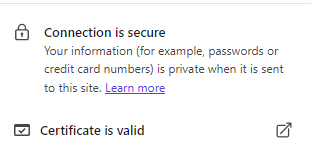
You should now see the padlock and a valid certificate:
Troubleshooting
Grafana logs clearly why it can’t start, so check the logs and then run through this guide again - I’m sure something will have been missed. Always good to hear your feedback.