Blog ·
Stream SRT using a Raspberry Pi
Intro
Faced with the challenge of conducting tests in a mobile environment, I needed a portable and efficient solution. Then, inspiration struck! I realised I could leverage the SRT Cookbook and TSDuck to create a compact playout system. Here’s how I brought this idea to life.
Equipment
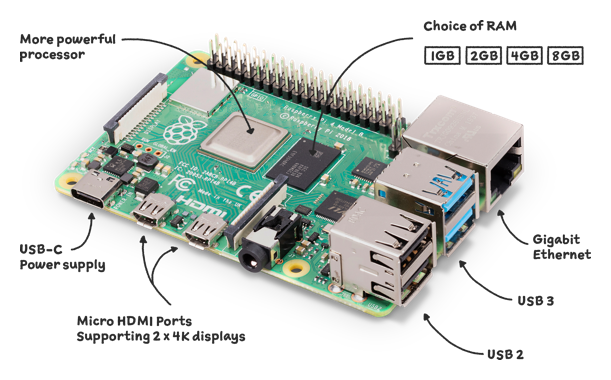
- Raspberry Pi 4 Model B
- A case to house it all in
- 32 GB SD card
- Raspberry Pi OS Lite (headless), 12 “bookworm”
- A transport stream (TS) file
Prerequisites
Before you start, make sure you have:
- a TS file - there are plenty online
- Raspberry Pi OS Lite installed on the Pi
Install TSDuck
I’ve often had trouble installing TSDuck on a Raspberry Pi 4 running Raspberry Pi OS, mostly dependency conflicts and compilation errors. Then I found a comprehensive guide with clear, step-by-step instructions, which led to a successful installation: srtlab.github.io/srt-cookbook/apps/tsduck.html
Syntax
Once you’ve confirmed TSDuck is installed, here is the command used in this example:
tsp -v -I file -i 60ibars.ts -P regulate -p 7 -O srt --caller 192.168.1.198:2000 --transtype live --enforce-burst
tsp- Transport Stream Processor-v- verbose (lets you log to a file for telemetry)-I file- the input plugin, here a file-i- the input file-P regulate- regulates the transmission speed, in this case based on the PCR-p 7- TS packets per UDP packet-O srt- the output plugin, here SRT--caller- run as an SRT caller, to this address and port--transtype live- live streaming; the alternative is file--enforce-burst- enforces a fixed chunk size per UDP packet, in my case 7
Result
